error-page
Terminal-Style HTTP Error Pages
A collection of single-file HTML error pages (400, 401, 403, 404, 503) styled to resemble a command-line terminal interface. Each page uses pure HTML, CSS, and JavaScript to display the relevant error information with a dynamic typing effect.
Previews
400 Bad Request
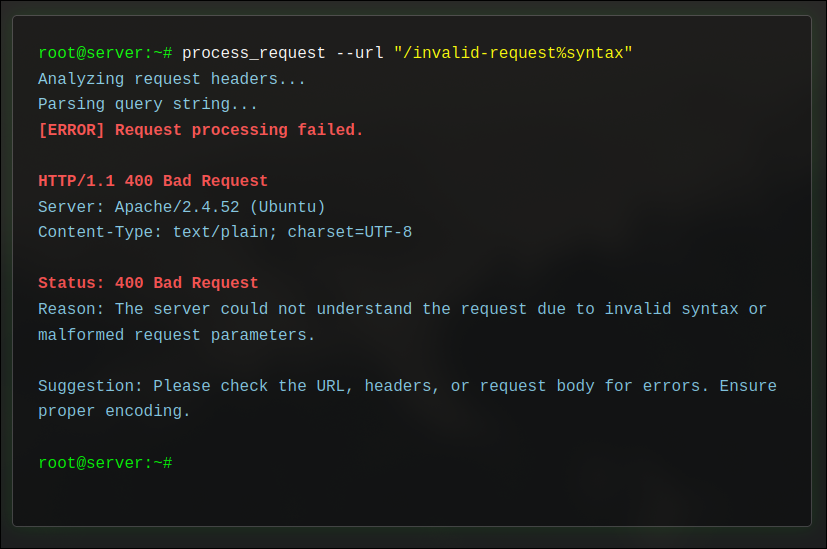
Simulates processing a request with invalid syntax.
🔗 View
401 Unauthorized
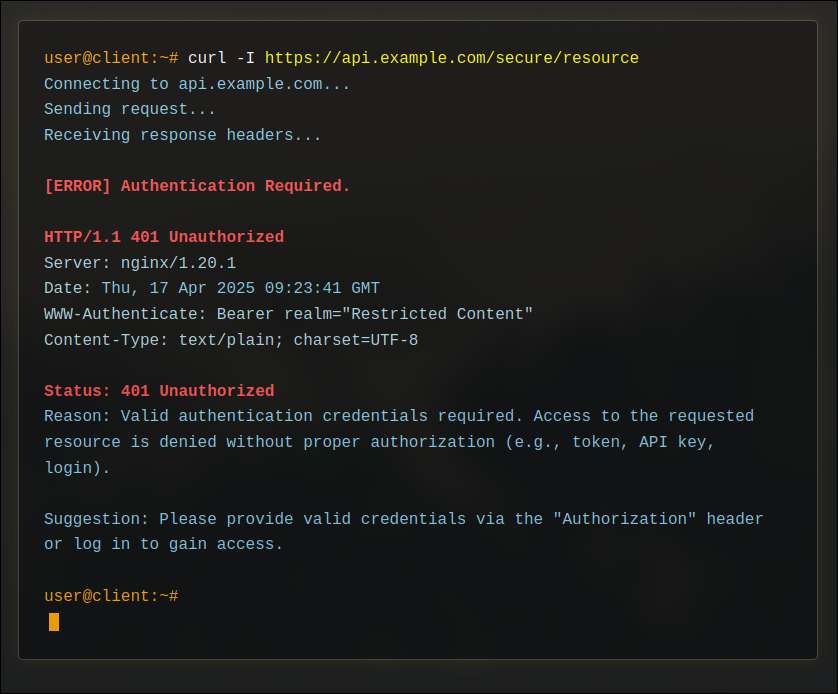
Simulates attempting to access a resource without proper authentication credentials.
🔗 View
403 Forbidden
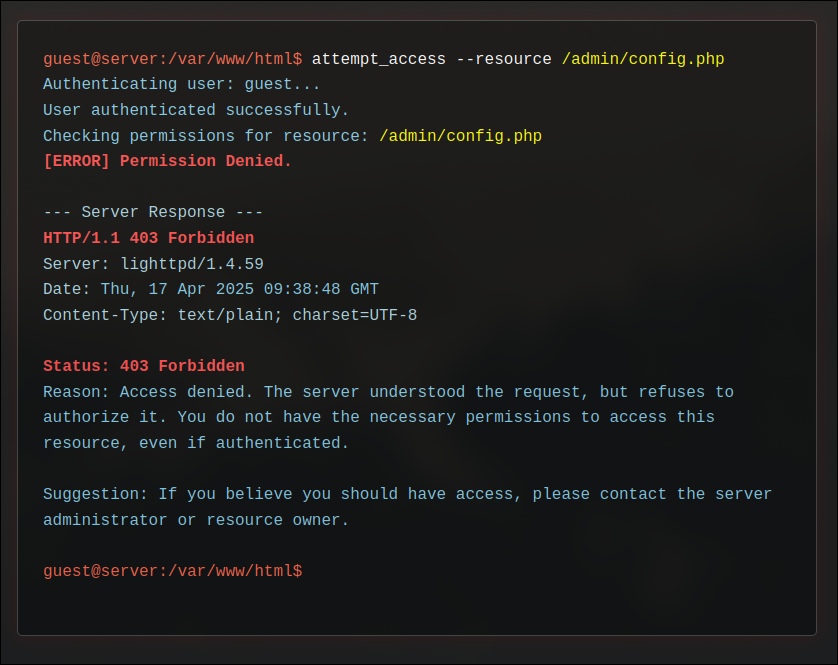
Simulates attempting to access a resource for which the authenticated user lacks permissions.
🔗 View
404 Not Found
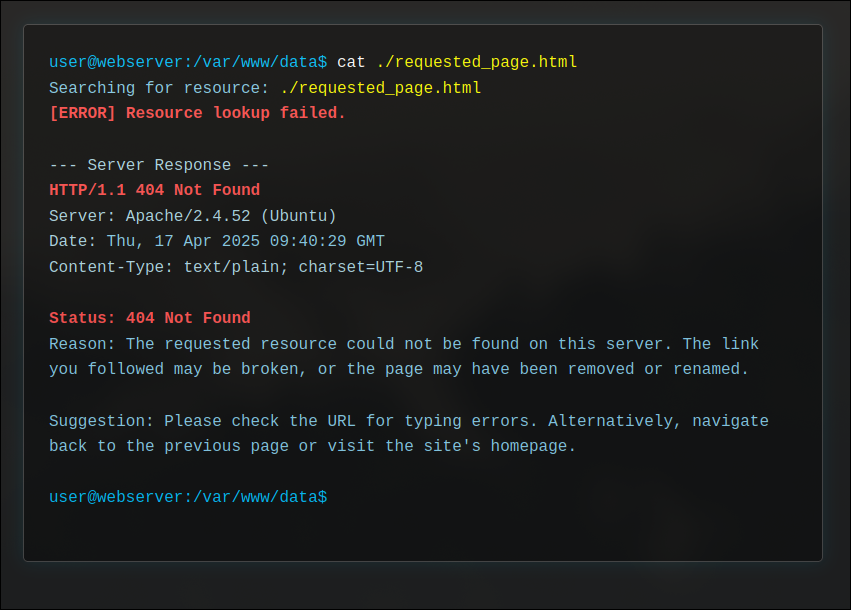
Simulates trying to access a resource or file that does not exist on the server.
🔗 View
503 Service Unavailable
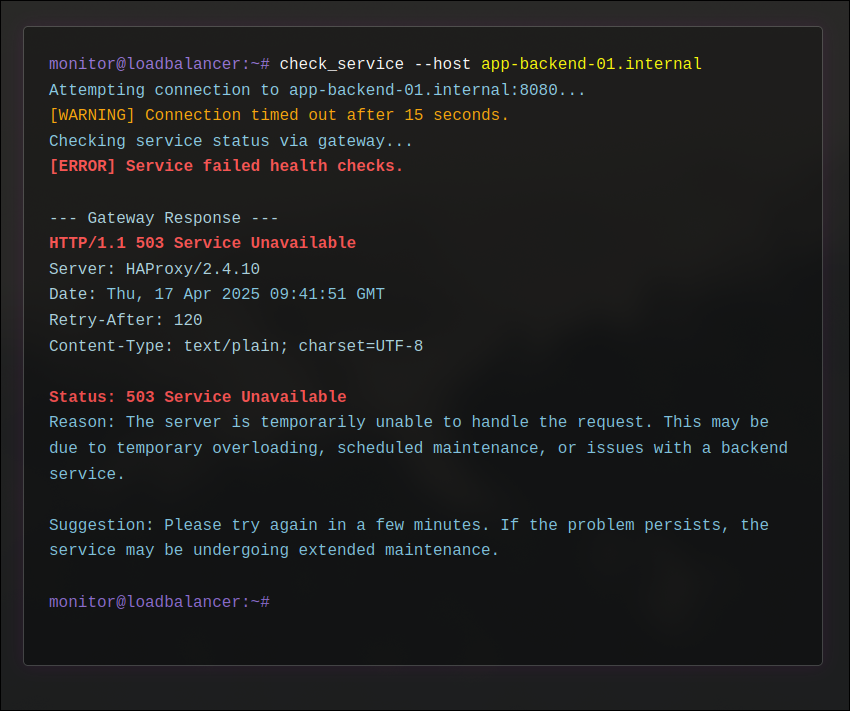
Simulates a situation where the server is temporarily unable to handle the request (e.g., overload, maintenance).
🔗 View
Features
- Terminal Aesthetic: Dark theme, monospace font, and color-coded output mimicking a real terminal.
- Typing Effect: Error messages and simulated commands are typed out character by character.
- Single File: Each error page is self-contained in a single
.htmlfile (no external dependencies). - Specific Error Codes: Covers common client-side and server-side errors (400, 401, 403, 404, 503).
- Pure HTML/CSS/JS: No external frameworks or libraries needed.
- Easy to Customize: Text content, typing speed, and visual styles can be easily modified within each file.
Files Included
400.html- Bad Request401.html- Unauthorized403.html- Forbidden404.html- Not Found503.html- Service UnavailableREADME.md- This file
How to Use
- Choose: Select the HTML file(s) corresponding to the HTTP errors you want to customize.
- Upload: Place the chosen HTML file(s) somewhere accessible by your web server.
-
Configure: Modify your web server configuration to use these files as custom error documents. The exact method depends on your server software:
- Apache: Use the
ErrorDocumentdirective in your.htaccessfile or server configuration:ErrorDocument 400 /path/to/your/400.html ErrorDocument 401 /path/to/your/401.html ErrorDocument 403 /path/to/your/403.html ErrorDocument 404 /path/to/your/404.html ErrorDocument 503 /path/to/your/503.html - Nginx: Use the
error_pagedirective within yourserverorlocationblock:server { # ... other configurations ... error_page 400 /400.html; location = /400.html { root /path/to/your/error_pages; # Path where you uploaded the files internal; } error_page 401 /401.html; location = /401.html { root /path/to/your/error_pages; internal; } error_page 403 /403.html; location = /403.html { root /path/to/your/error_pages; internal; } error_page 404 /404.html; location = /404.html { root /path/to/your/error_pages; internal; } error_page 503 /503.html; location = /503.html { root /path/to/your/error_pages; internal; } }(Ensure the
rootpath in thelocationblocks points to the directory containing your HTML files) - Other Servers: Consult the documentation for your specific web server (Caddy, IIS, LiteSpeed, etc.) on setting custom error pages.
- Apache: Use the
- Test: Trigger the corresponding errors on your website to ensure the custom pages are displayed correctly.
Customization
You can easily modify each error page:
- Text Content: Edit the
linesarray within the<script>block at the bottom of the HTML file. Change thetextandtype(which corresponds to CSS classes likeprompt,command,error,info,path,header,warning) for each segment of the output. - Typing Speed: Adjust the
typingSpeedvariable (in milliseconds) in the<script>block. Lower values mean faster typing. - Appearance: Modify colors, fonts, spacing, borders, and shadows within the
<style>block in the<head>section of the HTML file.
Technology Used
- HTML5
- CSS3
- JavaScript (ES6 - Vanilla)